ADK 的 TypeScript 快速入门
本指南展示如何开始使用 Agent Development Kit TypeScript 版。开始之前,请确保已安装以下内容:
- Node.js 24.13.0 or later
- Node Package Manager (npm) 11.8.0 or later
Create an empty my-agent directory for your project:
Configure project and dependencies
Use the npm tool to install and configure dependencies for your project,
including the package file, ADK TypeScript main
library, and developer tools. Run the following commands from your
my-agent/ directory to create the package.json file and install the
project dependencies:
cd my-agent/
# initialize a project as an ES module
npm init --yes
npm pkg set type="module"
npm pkg set main="agent.ts"
# install ADK libraries
npm install @google/adk
# install dev tools as a dev dependency
npm install -D @google/adk-devtools
定义智能体代码
Create the code for a basic agent, including a simple implementation of an ADK
Function Tool, called getCurrentTime.
Create an agent.ts file in your project directory and add the following code:
import {FunctionTool, LlmAgent} from '@google/adk';
import {z} from 'zod';

/* 模拟工具实现 */
const getCurrentTime = new FunctionTool({
  name: 'get_current_time',
  description: '返回指定城市中的当前时间。',
  parameters: z.object({
    city: z.string().describe("要检索当前时间的城市名称。"),
  }),
  execute: ({city}) => {
    return {status: 'success', report: `${city} 的当前时间是上午 10:30`};
  },
});

export const rootAgent = new LlmAgent({
  name: 'hello_time_agent',
  model: 'gemini-2.5-flash',
  description: '告诉指定城市中的当前时间。',
  instruction: `你是一个有帮助的助手,告诉你一个城市中的当前时间。
                为此目的使用 'getCurrentTime' 工具。`,
  tools: [getCurrentTime],
});
Set your API key
此项目使用 Gemini API,需要一个 API 密钥。如果你还没有 Gemini API 密钥,请在 Google AI Studio 的 API 密钥 页面创建一个。
在终端窗口中,将你的 API 密钥写入项目的 .env 文件以设置环境变量:
在 ADK 中使用其他 AI 模型
ADK 支持使用许多生成式 AI 模型。有关在 ADK 智能体中配置其他模型的更多 信息,请参见 模型和认证。
运行你的智能体
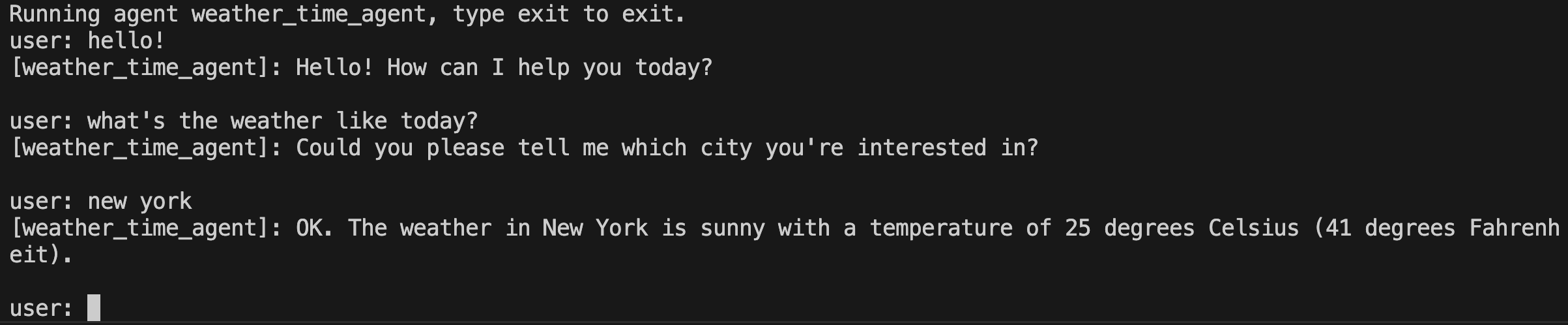
你可以使用 @google/adk-devtools 库以交互式命令行界面运行你的 ADK 智能体使用 run 命令或使用 ADK Web 用户界面使用 web 命令。这两个选项都允许你测试和与你的智能体交互。
使用命令行界面运行
使用 ADK TypeScript 命令行界面工具运行你的智能体使用以下命令:
使用网页界面运行
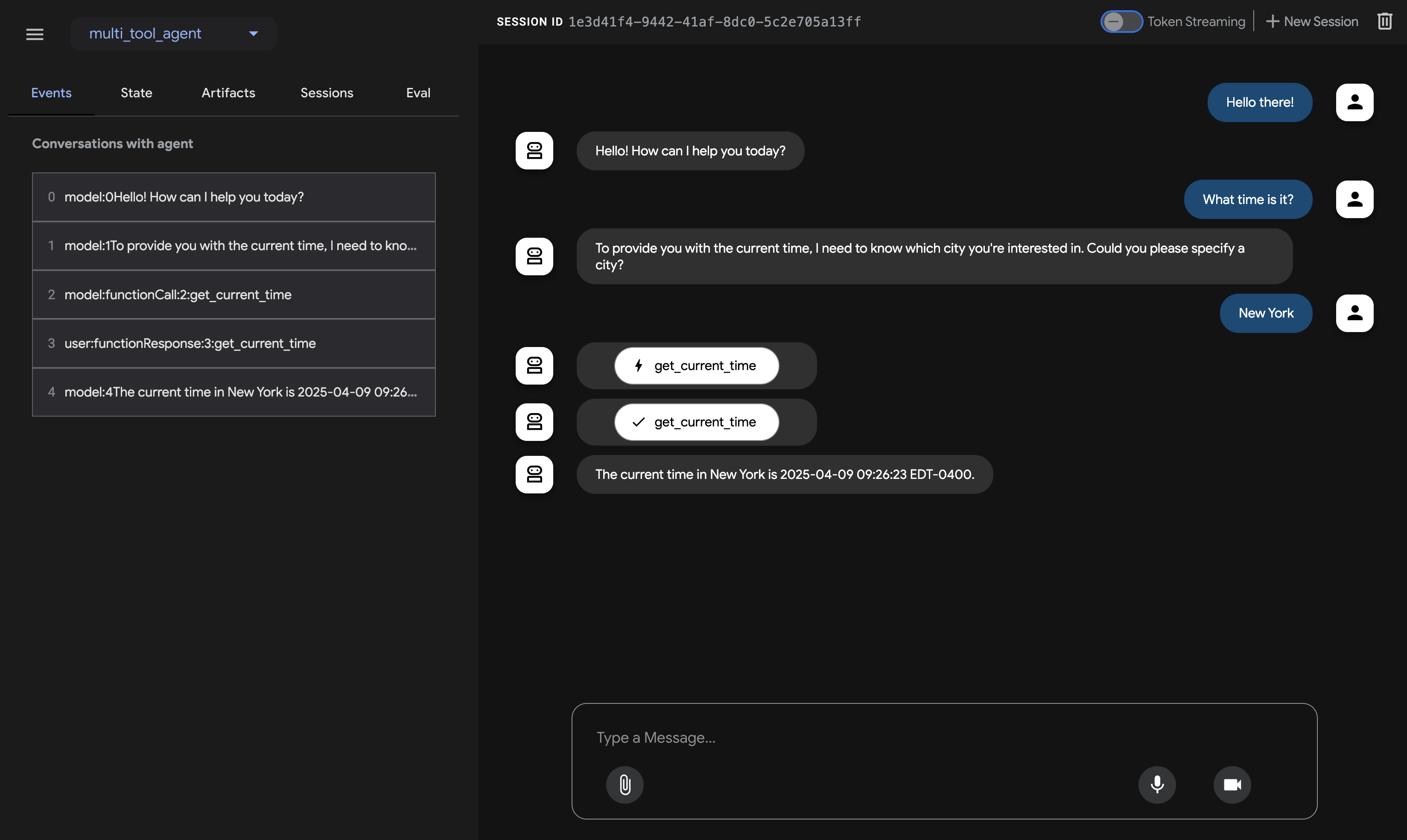
使用以下命令通过 ADK Web 界面运行你的智能体:
此命令启动一个具有聊天界面的网页服务器供你的智能体使用。你可以在 (http://localhost:8000) 访问网页界面。在右上角选择你的智能体并输入请求。
注意:ADK Web 仅供开发使用
ADK Web不适用于生产部署。你应该 仅将 ADK Web 用于开发和调试目的。
下一步:构建你的智能体
现在你已经安装了 ADK 并运行了你的第一个智能体,尝试使用我们的构建指南构建你自己的智能体: