ADK 的 Zespan 可观测性
Supported in ADKPythonTypeScript
Zespan 是一个用于 AI 应用的智能体可靠性平台。Zespan SDK 原生仪表化 ADK 智能体,将每次智能体调用、模型调用、工具执行和多智能体委派作为链接的跨度捕获,然后将它们发送到 Zespan 仪表盘以供检查、成本归因和评估。
概述
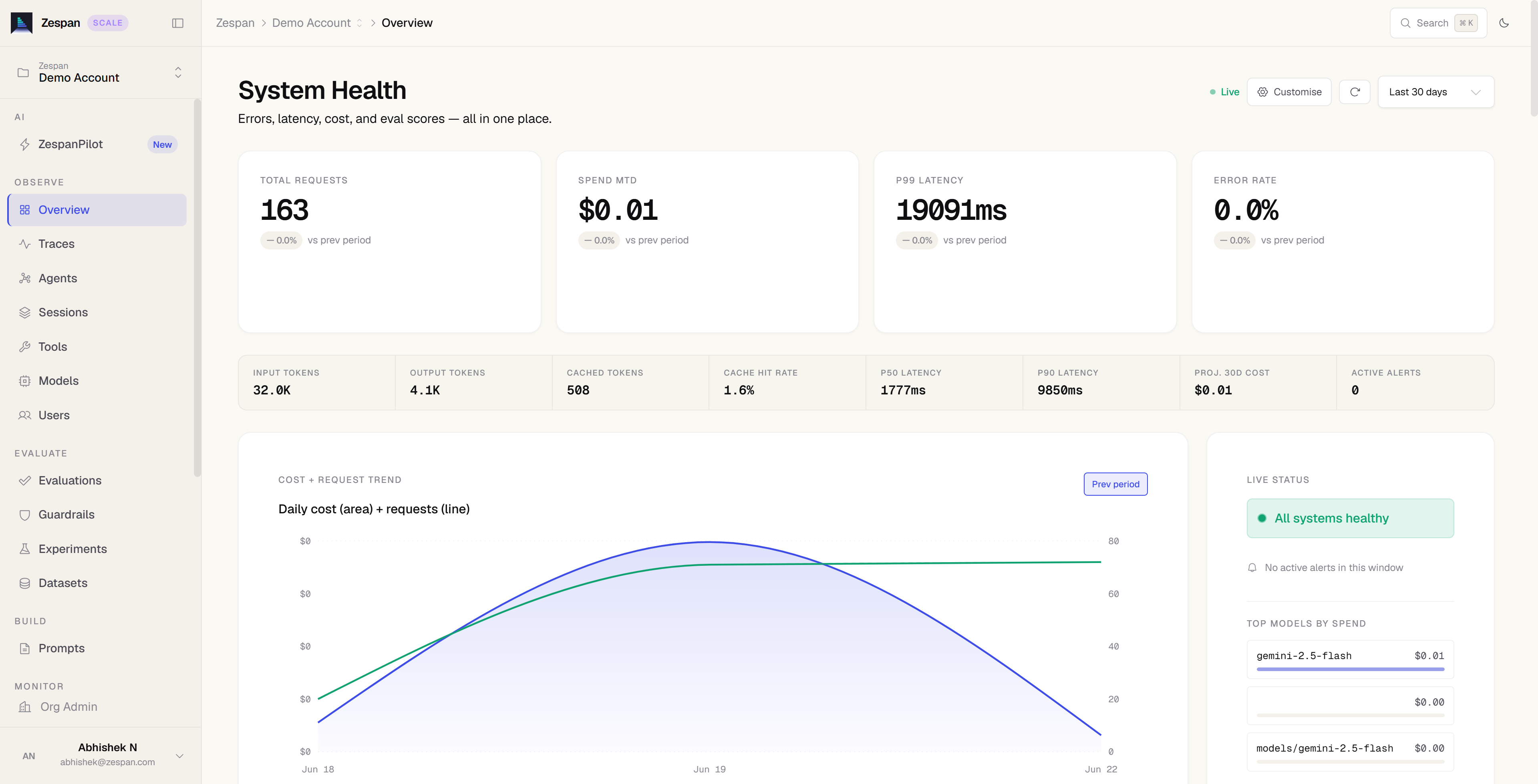
一旦你的 ADK 智能体被仪表化,Zespan 平台将提供:
- 追踪: 捕获每个智能体、模型、工具和委派跨度,包含延迟、令牌和成本。
- 成本归因: 按模型、智能体和时间段细分支出。
- 评估: 使用自定义指标、数据集和仿真对智能体行为进行评分。
- 护栏: 在运行时阻止、脱敏或标记不安全的输入和输出。
- 提示词管理: 通过缓存和变量替换获取和版本化提示词。
前置条件
在开始之前,请先设置 Zespan 账户和凭证:
- 在 app.zespan.com 注册账户。
- 创建一个项目,并从 Onboarding → API Key 复制 API 密钥。
- 设置环境变量:
安装
安装 Zespan SDK 和 ADK:
发送追踪数据
使用 Zespan SDK 仪表化 ADK 智能体,开始捕获追踪数据:
在启动时初始化一次 Zespan,然后创建一个 ZespanADKCallbackHandler
并将其 .callbacks 展开到你的 LlmAgent 中。
import asyncio
import os

import zespan
from zespan import ZespanADKCallbackHandler
from google.adk.agents import LlmAgent
from google.adk.runners import InMemoryRunner
from google.genai import types

zespan.init(api_key=os.environ["ZESPAN_API_KEY"])

handler = ZespanADKCallbackHandler()


def get_weather(city: str) -> dict:
    """获取指定城市的当前天气报告。"""
    if city.lower() == "new york":
        return {
            "status": "success",
            "report": "The weather in New York is sunny with a temperature of 25°C.",
        }
    return {
        "status": "error",
        "error_message": f"Weather information for '{city}' is not available.",
    }


agent = LlmAgent(
    name="weather_agent",
    model="gemini-flash-latest",
    description="用于回答天气问题的智能体。",
    instruction="使用可用的工具来查找答案。",
    tools=[get_weather],
    **handler.callbacks,
)


async def main():
    runner = InMemoryRunner(agent=agent, app_name="weather_app")
    await runner.session_service.create_session(
        app_name="weather_app", user_id="user", session_id="session"
    )
    async for event in runner.run_async(
        user_id="user",
        session_id="session",
        new_message=types.Content(
            role="user",
            parts=[types.Part(text="What is the weather in New York?")],
        ),
    ):
        if event.is_final_response():
            print(event.content.parts[0].text.strip())


if __name__ == "__main__":
    asyncio.run(main())
提供两种方式。
instrumentADK 一次调用即可包装协调器和运行器,拦截完整的事件流,包括委派。
import { zespan, instrumentADK } from "@zespan/sdk";
import { LlmAgent, InMemoryRunner } from "@google/adk";

zespan.init({ apiKey: process.env.ZESPAN_API_KEY! });

function getWeather(city: string): object {
  if (city.toLowerCase() === "new york") {
    return {
      status: "success",
      report: "The weather in New York is sunny with a temperature of 25°C.",
    };
  }
  return {
    status: "error",
    error_message: `Weather information for '${city}' is not available.`,
  };
}

const coordinator = new LlmAgent({
  name: "weather_agent",
  model: "gemini-flash-latest",
  description: "用于回答天气问题的智能体。",
  instruction: "使用可用的工具来查找答案。",
  tools: [getWeather],
});

const runner = new InMemoryRunner({
  agent: coordinator,
  appName: "weather_app",
});

const { runner: tracedRunner } = instrumentADK({ coordinator, runner });

for await (const event of tracedRunner.runEphemeral({
  userId: "user",
  newMessage: { parts: [{ text: "What is the weather in New York?" }] },
})) {
  if (event.isFinalResponse()) {
    console.log(event.content.parts[0].text);
  }
}
ZespanADKCallbackHandler 使用 ADK 原生的回调系统;将
.callbacks 展开到你的智能体配置中。
import { zespan, ZespanADKCallbackHandler } from "@zespan/sdk";
import { LlmAgent, InMemoryRunner } from "@google/adk";

zespan.init({ apiKey: process.env.ZESPAN_API_KEY! });

const handler = new ZespanADKCallbackHandler();

const agent = new LlmAgent({
  name: "weather_agent",
  model: "gemini-flash-latest",
  description: "用于回答天气问题的智能体。",
  instruction: "使用可用的工具来查找答案。",
  tools: [getWeather],
  ...handler.callbacks,
});

const runner = new InMemoryRunner({ agent, appName: "weather_app" });

for await (const event of runner.runEphemeral({
  userId: "user",
  newMessage: { parts: [{ text: "What is the weather in New York?" }] },
})) {
  if (event.isFinalResponse()) {
    console.log(event.content.parts[0].text);
  }
}
多智能体系统
Zespan 将协调器和子智能体的跨度链接为单一追踪:
在协调器和所有子智能体之间使用同一个处理器实例。 跨度通过共享的 ADK 调用 ID 链接到单一追踪下。
使用 instrumentADK 时,所有 subAgents 都会被递归自动包装。
const specialist = new LlmAgent({
  name: "lookup_agent",
  model: "gemini-flash-latest",
  tools: [lookupTool],
});

const coordinator = new LlmAgent({
  name: "coordinator",
  model: "gemini-flash-latest",
  subAgents: [specialist],
});

const { runner: tracedRunner } = instrumentADK({
  coordinator,
  runner: new InMemoryRunner({ agent: coordinator, appName: "my_app" }),
});
使用 ZespanADKCallbackHandler 时,将同一个实例展开到每个智能体中。
const handler = new ZespanADKCallbackHandler();

const specialist = new LlmAgent({
  name: "lookup_agent",
  model: "gemini-flash-latest",
  tools: [lookupTool],
  ...handler.callbacks,
});

const coordinator = new LlmAgent({
  name: "coordinator",
  model: "gemini-flash-latest",
  subAgents: [specialist],
  ...handler.callbacks,
});
在仪表盘中查看追踪数据
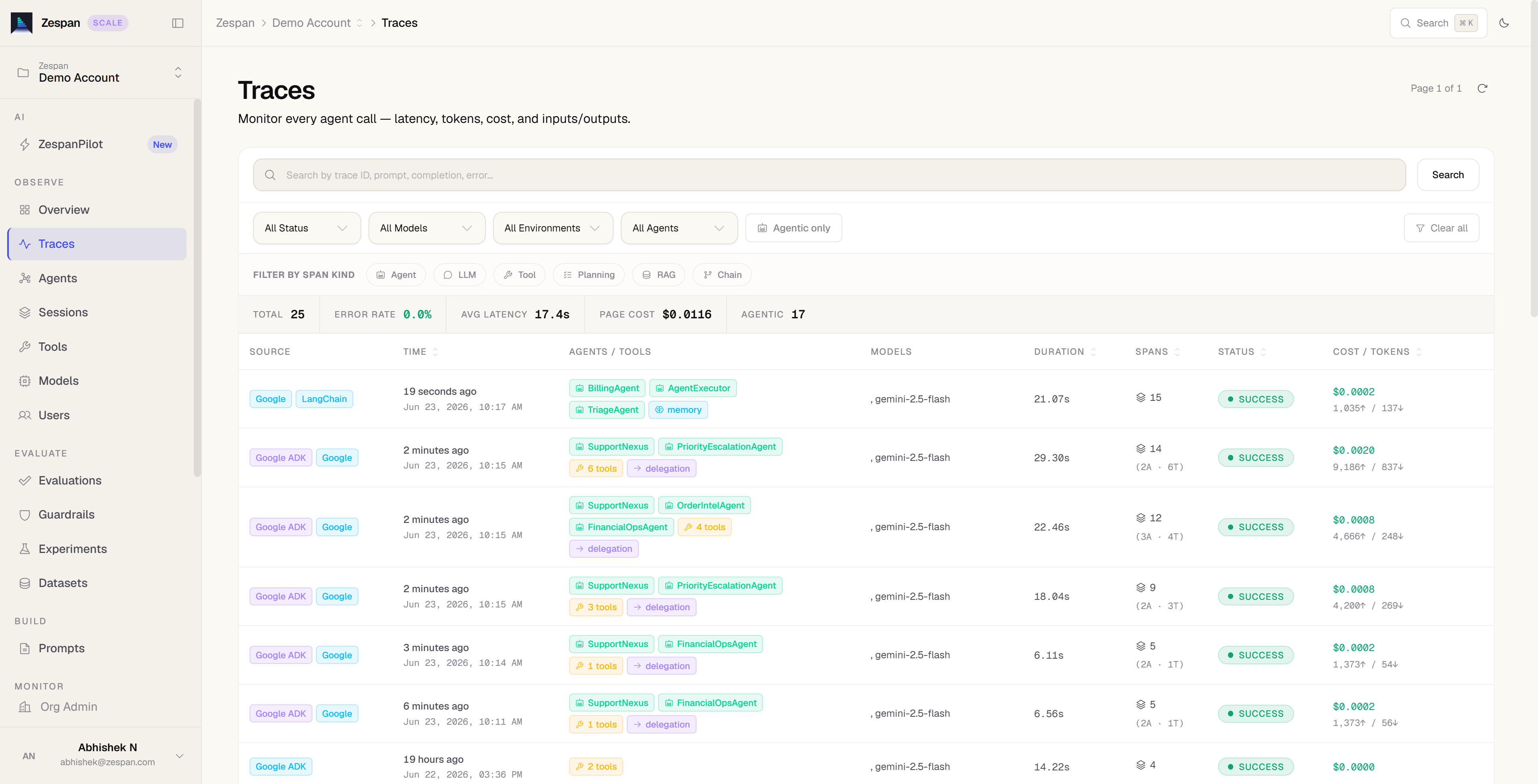
运行智能体,然后在 app.zespan.com 打开你的项目。每次 ADK 运行都会生成一个层级追踪,显示:
- 智能体跨度,包含协调器和子智能体之间的延迟和委派链接
- LLM 跨度,包含令牌计数、成本、结束原因以及可选的提示词/补全文本
- 工具跨度,包含输入参数和返回值