ADK Kotlin 快速入门
本指南将向你介绍如何开始使用 Agent Development Kit for Kotlin。在开始之前,请确保你已安装以下软件:
- Java 17 或更高版本
- Gradle 8.0 或更高版本
正在开发 Android 应用?
本快速入门介绍的是 JVM 上的 Kotlin。如果你正在构建 Android 应用, 请先完成本快速入门以了解智能体 API,然后参阅为 Android 构建 ADK 智能体了解 Android 特有的项目配置和设备端模型。
创建智能体项目
使用以下文件和目录结构创建一个智能体项目:
my_agent/
    src/main/kotlin/com/example/agent/
                        HelloTimeAgent.kt   # 智能体定义 + 工具
                        Main.kt             # 入口点
    build.gradle.kts                        # 项目配置
    .env                                    # API 密钥或项目 ID
使用命令行创建此项目结构
定义智能体代码
创建一个基础智能体的代码,包括一个简单的 ADK
函数工具实现,名为 getCurrentTime()。
将以下代码添加到项目目录中的 HelloTimeAgent.kt 文件:
package com.example.agent

import com.google.adk.kt.agents.Instruction
import com.google.adk.kt.agents.LlmAgent
import com.google.adk.kt.annotations.Param
import com.google.adk.kt.annotations.Tool
import com.google.adk.kt.models.Gemini

class TimeService {
    /** 模拟工具实现 */
    @Tool
    fun getCurrentTime(
        @Param("要获取时间的城市名称") city: String
    ): Map<String, String> {
        return mapOf("city" to city, "time" to "The time is 10:30am.")
    }
}

object HelloTimeAgent {
    @JvmField
    val rootAgent = LlmAgent(
        name = "hello_time_agent",
        description = "显示指定城市的当前时间。",
        model = Gemini(
            name = "gemini-flash-latest",
            apiKey = System.getenv("GOOGLE_API_KEY")
                ?: error("GOOGLE_API_KEY environment variable not set."),
        ),
        instruction = Instruction(
            "你是一个可以显示城市当前时间的有用助手。"
                + "使用 'getCurrentTime' 工具来完成此目的。"
        ),
        tools = TimeService().generatedTools(),
    )
}
关于 @Tool 和 KSP
@Tool 注解将函数标记为智能体可以调用的工具。在编译时,KSP(Kotlin 符号处理)
注解处理器会生成上面使用的 .generatedTools() 扩展函数。这是一种零反射的函数工具
注册方式。所需的 KSP 插件和处理器依赖包含在下面的 build.gradle.kts
配置中。
配置项目和依赖
ADK Kotlin 智能体项目需要在 build.gradle.kts 项目文件中包含以下依赖:
dependencies {
    implementation("com.google.adk:google-adk-kotlin-core:1.3.1")
    ksp("com.google.adk:google-adk-kotlin-processor:1.3.1")
}
项目完整的 build.gradle.kts 配置
以下代码展示了此项目完整的 build.gradle.kts 配置:
plugins {
    kotlin("jvm") version "2.1.20"
    id("com.google.devtools.ksp") version "2.1.20-2.0.1"
    application
}

repositories {
    mavenCentral()
}

dependencies {
    implementation("com.google.adk:google-adk-kotlin-core:1.3.1")
    implementation("com.google.adk:google-adk-kotlin-webserver:1.3.1")
    ksp("com.google.adk:google-adk-kotlin-processor:1.3.1")
}

kotlin {
    jvmToolchain(17)
}

application {
    mainClass.set(
        project.findProperty("mainClass") as? String
            ?: "com.example.agent.MainKt"
    )
}

tasks.named<JavaExec>("run") {
    standardInput = System.`in`
}
设置 API 密钥
此项目使用 Gemini API,需要一个 API 密钥。如果你还没有 Gemini API 密钥,请在 Google AI Studio 的 API 密钥 页面创建一个密钥。
在终端窗口中,将你的 API 密钥写入项目的 .env 文件以设置环境变量:
在 ADK 中使用其他 AI 模型
ADK 支持使用多种生成式 AI 模型。有关在 ADK 智能体中配置其他模型的 更多信息,请参阅模型与认证。
创建入口点
创建一个 Main.kt 文件,用于从命令行运行和与 HelloTimeAgent 交互。
ReplRunner 提供了一个内置的交互式 REPL,可以处理用户输入、智能体响应
和工具确认提示。
package com.example.agent

import com.google.adk.kt.runners.ReplRunner

fun main() {
    ReplRunner(HelloTimeAgent.rootAgent).start()
}
运行智能体
你可以使用交互式命令行 REPL 或由 AdkDevServer 提供的 ADK Web 用户界面来运行你的 ADK 智能体。两种方式都允许你测试和与智能体交互。
使用命令行界面运行
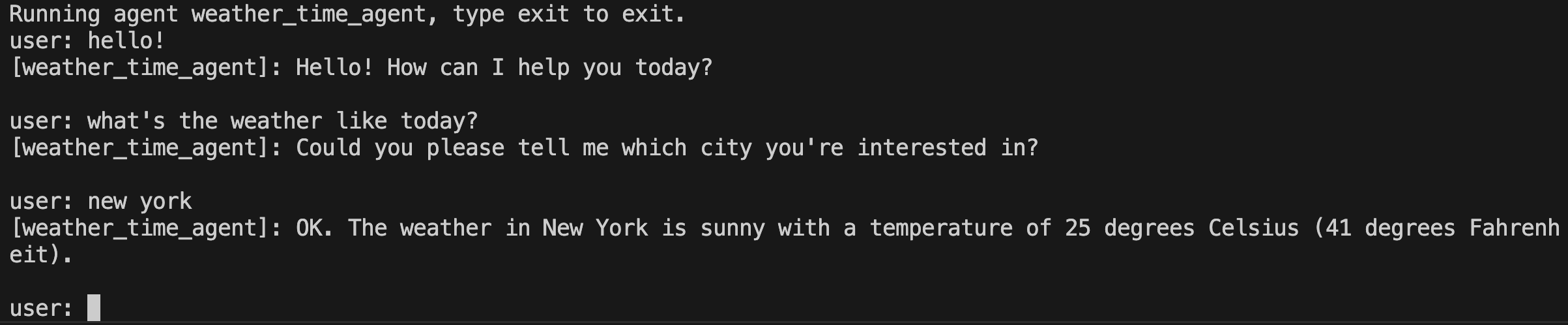
使用 Gradle run 任务通过命令行界面运行智能体:
智能体将启动一个交互式会话。输入消息并按回车键:
智能体 hello_time_agent 已就绪。输入 'exit' 退出。

你 > 纽约现在几点了?

hello_time_agent > 纽约的当前时间是上午 10:30。

你 > exit
正在退出智能体。
使用 Web 界面运行
要使用 ADK Web 界面运行智能体,请将 webserver 依赖添加到
build.gradle.kts:
dependencies {
    implementation("com.google.adk:google-adk-kotlin-core:1.3.1")
    implementation("com.google.adk:google-adk-kotlin-webserver:1.3.1")
    ksp("com.google.adk:google-adk-kotlin-processor:1.3.1")
}
然后在 Main.kt 旁边创建一个 WebMain.kt 文件:
package com.example.agent

import com.google.adk.kt.webserver.AdkServerConfig
import com.google.adk.kt.webserver.dev.AdkDevServer

fun main() {
    // inMemory() 提供智能体加载器以及会话和制品服务,
    // 将其状态保持在进程内。
    val server = AdkDevServer(AdkServerConfig.inMemory(HelloTimeAgent.rootAgent))

    println("Starting ADK dev server on http://localhost:8080")
    server.start(wait = true)
}
使用 -PmainClass 属性运行 Web 服务器以选择 Web 入口点:
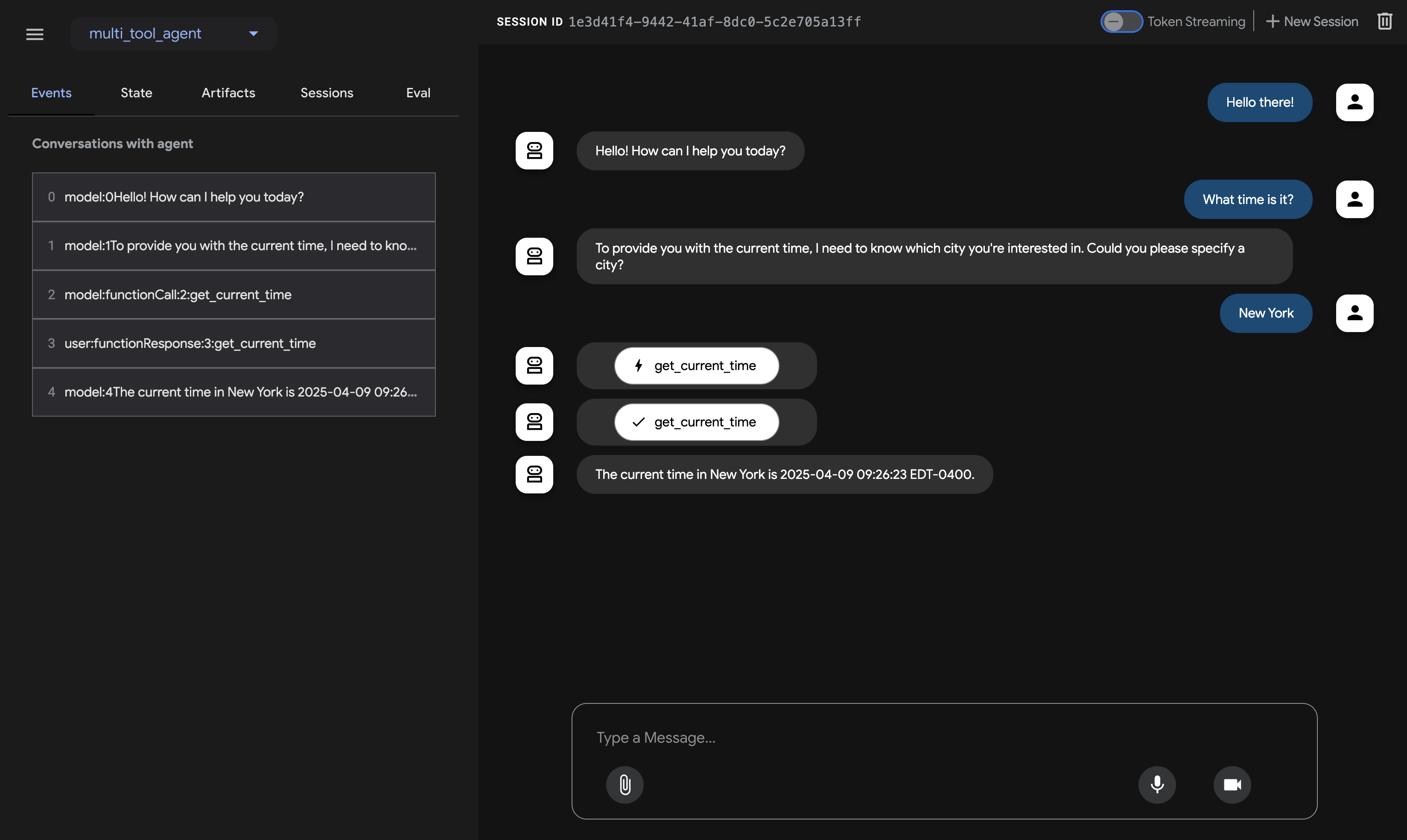
此命令将启动一个带有智能体聊天界面的 Web 服务器。你可以在
http://localhost:8080 访问 Web 界面。在左上角选择你的智能体并输入请求。
注意:ADK Web 仅用于开发
ADK Web 不适用于生产部署。你应该仅将 ADK Web 用于开发和调试目的。有关更多信息,请参阅 ADK Web 界面。
下一步:构建你的智能体
现在你已经安装了 ADK 并运行了第一个智能体,请尝试使用我们的构建指南 来构建你自己的智能体: